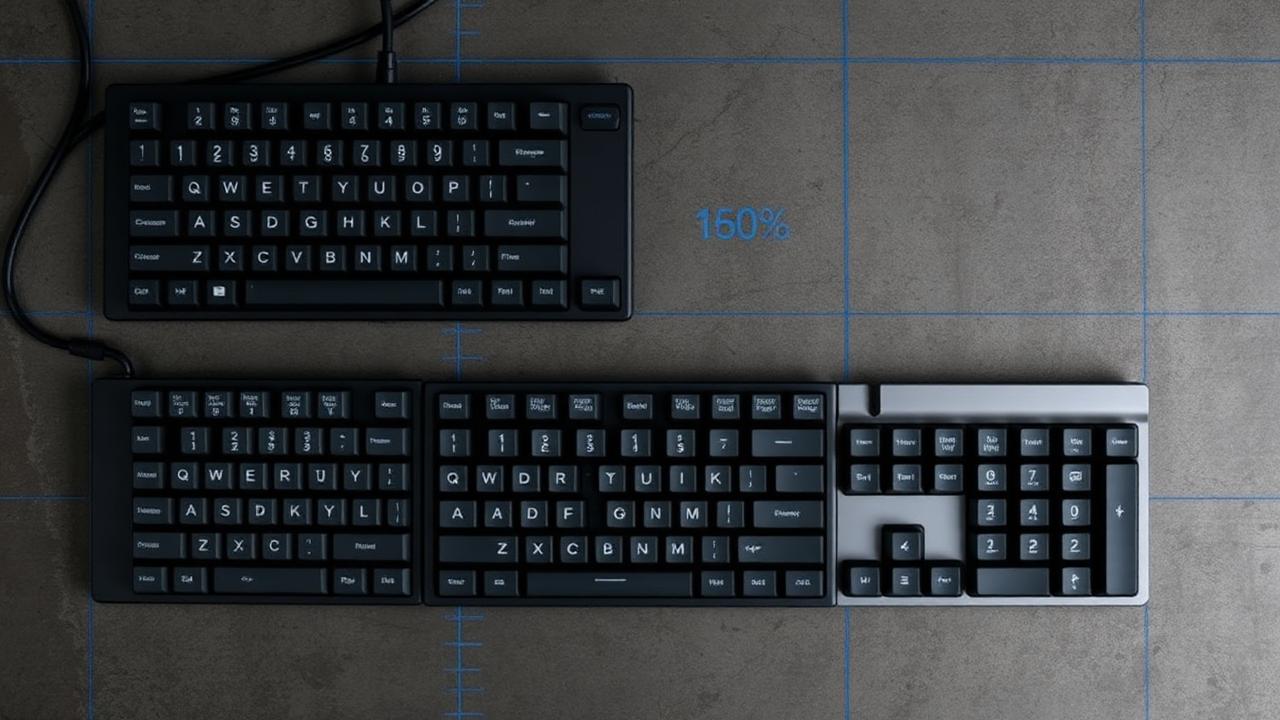
Layout is a desk decision before it is a typing decision
Layout choice gets discussed as if it were purely about typing preference, but for most people the deciding factor is physical space and mouse position. A full-size board pushes your mouse hand roughly nineteen centimetres further right than a sixty per cent board does, which changes shoulder posture for eight hours a day. Before comparing key counts, measure the usable depth and width of your desk, note where your monitor stand's feet sit, and decide how much room your mousing arc needs. Those three numbers eliminate half the options immediately.
The standard unit of keyboard geometry is the 'u', equal to 19.05 mm of key pitch. A sixty per cent board is fifteen units wide, a TKL is around eighteen and a half, and a full size is around twenty-three. Multiply by 19.05 mm and add case bezels of eight to fifteen millimetres per side, and you have a realistic external footprint. Our layout size calculator does this conversion including bezel allowance, so you can tape out the outline on your desk before committing to a group buy.
60% and 65%: the compact tier
A sixty per cent layout has sixty-one to sixty-four keys: alphas, modifiers and numbers, with everything else — arrows, function row, navigation cluster — accessed through a function layer. The upside is a tiny footprint, easy portability and a symmetrical look that suits keycap sets beautifully. The downside is real: every arrow press and every F5 becomes a two-key combination, and it takes most people one to three weeks of daily use before that stops feeling like an obstacle.
Sixty-five per cent solves the biggest complaint by adding a dedicated arrow cluster and usually a column of navigation keys on the right, costing only about one unit of extra width. For anyone who writes prose, edits spreadsheets occasionally, or plays games that use arrows, this is the sweet spot and it is the reason 65% has become the most popular enthusiast size. The trade-off is keycap compatibility: the right shift is often 1.75u instead of 2.75u, and cheaper keycap sets do not always include that size.
TKL and full size: the practical tier
Tenkeyless keeps the function row and the full navigation cluster while dropping the numpad. It requires no layer memorisation at all, which makes it the safest choice for shared machines, work environments and anyone who uses a lot of function-key shortcuts in professional software. It also has the widest keycap compatibility of any layout, since essentially every set is designed around the standard TKL bottom row.
Full size earns its space only if you genuinely enter numbers. Accountants, data entry staff, CAD users and anyone regularly working in spreadsheets are measurably faster with a physical numpad. If you are not in that group, the numpad is nineteen centimetres of desk you are donating to a component you touch once a week. A frequently overlooked middle path is a TKL plus a separate wireless numpad placed on the left, which gives numeric entry without pushing the mouse away.
The ergonomic and exotic options
Beyond the standard sizes sit ortholinear boards with a perfect grid instead of staggered rows, split boards that let each half sit at shoulder width, and Alice-style layouts that angle the two halves within a single case. These reduce ulnar deviation — the sideways bend in the wrist — which is a genuine cause of discomfort during long sessions. The cost is a relearning period of two to six weeks and a much smaller selection of compatible keycap kits.
A less discussed exotic factor is the bottom row. Alice and split layouts frequently need two spacebars, unusual modifier widths, or 1u keys where a standard board has 1.25u. Before buying a case in this category, list its bottom-row widths and check them against the keycap kit you want. Discovering after delivery that your set has no 2.25u spacebar is an expensive and entirely avoidable disappointment.
A decision path that works
Answer four questions in order. Do you enter numeric data daily? If yes, full size or TKL plus numpad. Do you need the function row without a layer? If yes, TKL. Do you use arrow keys constantly? If yes, 65%. If none of those apply, 60% will serve you well and give the cleanest desk. This ordering works because it prioritises the keys you cannot live without over the aesthetics that feel important while browsing and stop mattering after a week of use.
Whatever you land on, validate the footprint before ordering. Run the dimensions through the layout size calculator, mark the rectangle on your desk with masking tape, and put your mouse where it would live. Two minutes of tape saves the specific regret of a beautiful board that forces your mouse arm into an awkward angle. Layout is the one decision in a custom build that you cannot revise later with a parts order.
One last consideration is resale and future keycap purchases. Standard layouts hold their value because the pool of buyers is enormous and every keycap set fits them. Exotic sizes and unusual bottom rows narrow that pool considerably, which matters if you treat builds as an evolving hobby rather than a single permanent purchase. If you expect to try three or four boards over the next few years, starting with a 65% or TKL gives you a keycap collection and a set of switches that will transfer cleanly into whatever you build next, instead of a drawer of parts that only fit one case.